Your AI agent,
ready in minutes.
Name it, give it a personality, tell it what it must know. All seven kinds of memory come with it, so from its first chat your agent remembers the people it talks to and learns from every conversation. We host it and keep it running.
Ready in minutes · All seven kinds of memory · Hosted by us
A name, a personality, two lines about the store. Then June’s first customer.
An example. June took a few minutes to set up, and she answered from the two lines her team wrote. From then on, every chat adds to what she remembers.
Most agents start from zero. Yours starts with memory.
Building an AI agent yourself means a long prompt, a model to call, servers to run and a memory to design. A hosted agent comes with all of it: you set it up in the portal, and we run it.
A name first. The rest in minutes.
Everything happens in the portal. Your team builds the agent, talks to it, and changes it whenever you like.
Name it
Create agent asks only for a name. Everything else can be set now or later.
Give it a personality
RealDNA sets who the agent is: its character, its age and how it talks. Start with eight settings, and open the full set when you want it.
Tell it what it must know
Core memory holds what the agent always knows: your company, its job and the rules it must never break. Up to 50 lines, each with a priority.
Compile
RealMemory puts the agent’s instructions together and checks them before it can chat. Anything harmful or contradictory is stopped, with what to fix.
Talk to it
Chat with your agent in the portal, the way your customers will. Change a line, compile again, and see the difference.
It learns
Every chat adds to its memory: what it learned about each person, a summary of the conversation, and answers to the questions people keep asking.
Everything about an agent. On one page.
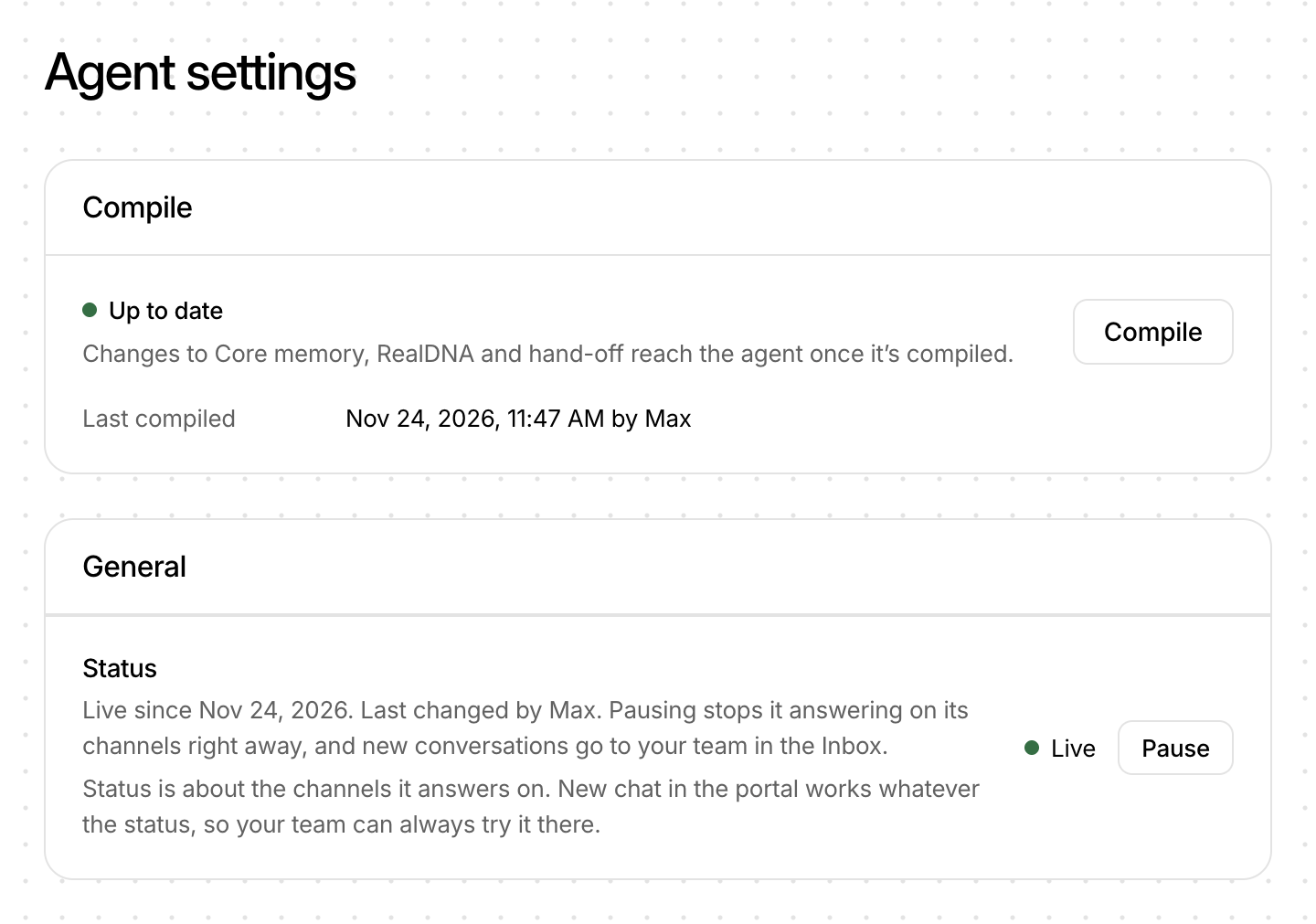
Open an agent’s settings to see whether it’s compiled and up to date, who changed it last and whether it’s live. When something changed since the last compile, the portal says so until you compile again.
A few minutes old. Already helpful.
On our dev account, we built June from scratch: a name, four of the eight basic RealDNA settings, and two Core memory lines about Larkspur Home, what the store does and how returns work. She compiled in about a minute.
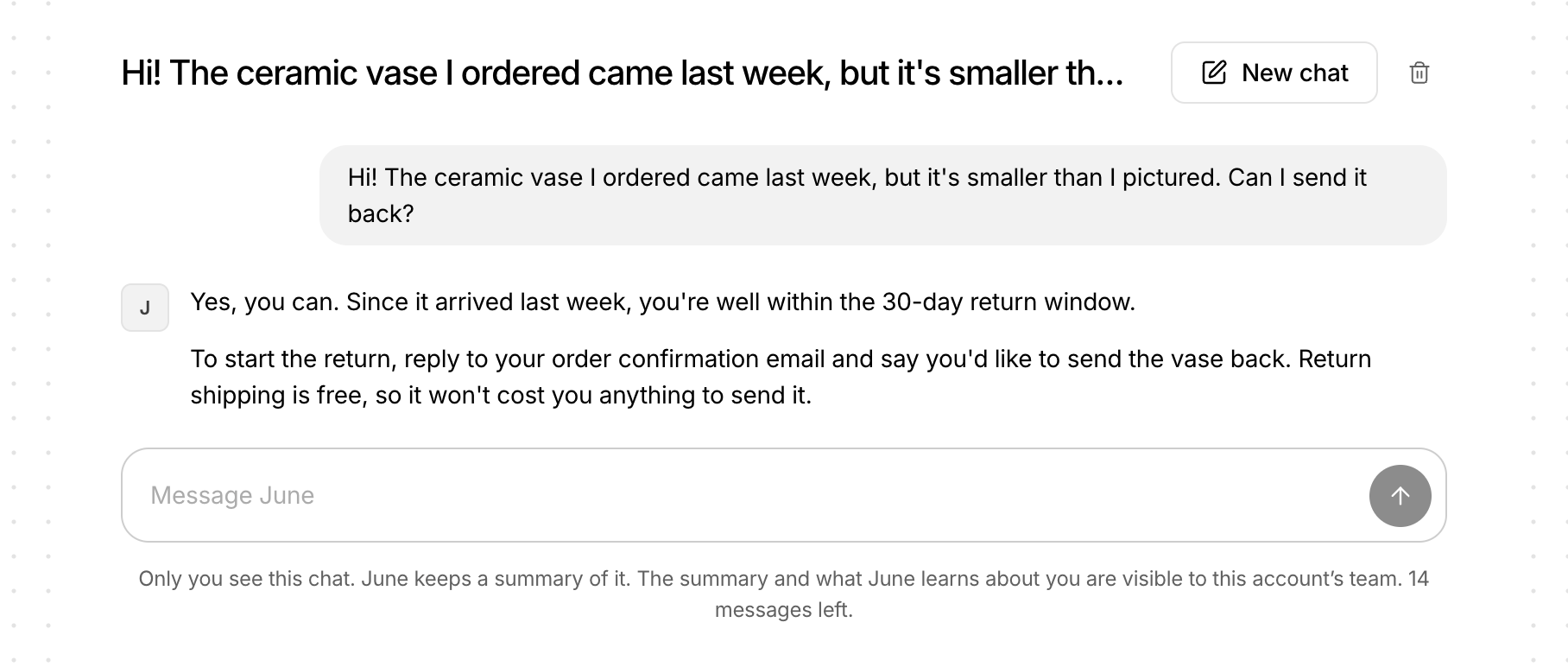
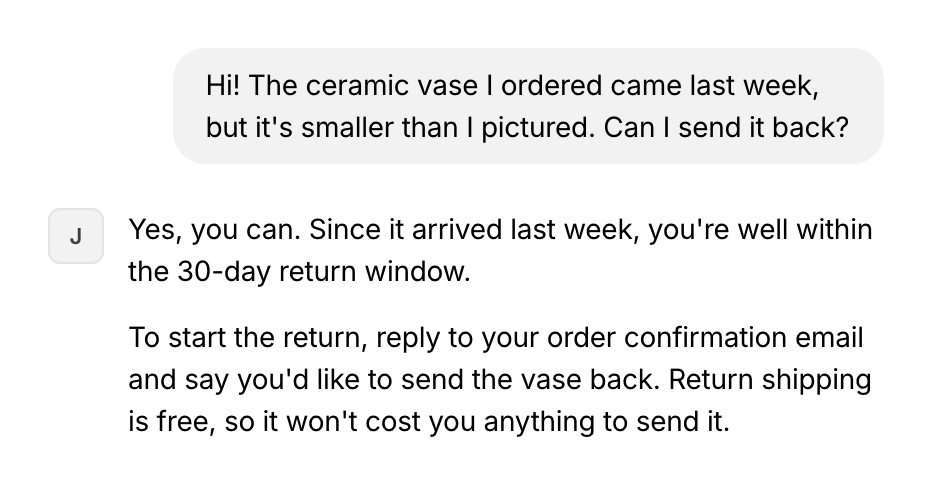
Then we opened a chat and asked what a customer would: could we send back a vase that turned out smaller than we pictured? June said yes, it was well within the 30-day window, and explained how to start the return and that shipping it back is free. Afterwards, her Slow memory had a short summary of the chat, so she’ll remember it next time.
Every kind of memory. Nothing to add on.
Every agent comes with all seven kinds of memory. No add-ons, nothing to buy separately. Account memory is shared by every agent in your account, so a new agent knows what the others know. Agent memory belongs to each agent.
Knowledge
Your documents, databases, Slack and GitHub, prepared for agents. Moving into our new engine: book a call to start on the current one.
Notebook
Your team’s notes on top of your docs: what changed, and what they don’t say yet.
Fast memory
Ready answers to the questions people keep asking, written once from your notes.
People
What every agent knows about the people it talks to, your customers and your team alike.
RealDNA
Who the agent is: its character, its age and its way of talking. Your team sets it.
Core memory
What the agent knows by heart: your company, its job and the rules it must never break.
Slow memory
What each conversation was about, so the agent remembers every person as a whole.
Any agent. Any job.
Every agent gets the same seven kinds of memory. What it does is up to you. A few of the agents teams build:
Support agent
Answers customers about orders, returns and policies, and remembers each of them from one chat to the next.
Team assistant
Answers your employees’ questions about how things work, and learns what your team tells it.
Personal assistant
Learns each person’s habits, likes and how they want to be spoken to, with a personality you design.
Practice partner
Plays a tough customer or a nervous first caller, so your team can practice before it’s real.
Story character
A character with its own age, life story and way of talking, who stays in role and remembers each player.
Coach
Keeps track of each person’s goals and setbacks from one session to the next, in a manner you choose.
In the portal today. More in our new engine.
Today your team builds the agent, tests it and talks to it in the portal. In our new engine, you choose where each agent answers, which AI model it runs on, and how it asks your team when it doesn’t know.
The portal
Chat with any agent the way your customers will, and see what it learned on its memory pages.
Your website
A chat window on your site, answered by the agent you choose.
Slack
Your team asks the agent in Slack, where they already work.
Microsoft Teams
The same for teams that work in Microsoft Teams.
The agent answers the emails you send its way, like your support@ address.
Intercom
The agent picks up new conversations in Intercom.
Models
Choose the AI model your agents run on, from platforms like Anthropic, OpenAI and Google.
Hand-off
When the agent doesn’t know, it asks your team for the answer: in the Inbox, in Slack or by email.
We run it. Your data stays yours.
Hosting your agent means holding what it learns. Here’s how we look after it.
Never trains a model
What your agents learn is never used to train any AI model.
Kept apart
Each client’s memory is kept apart from every other client’s, encrypted in transit and at rest, in the region you choose for your account.
Your team decides
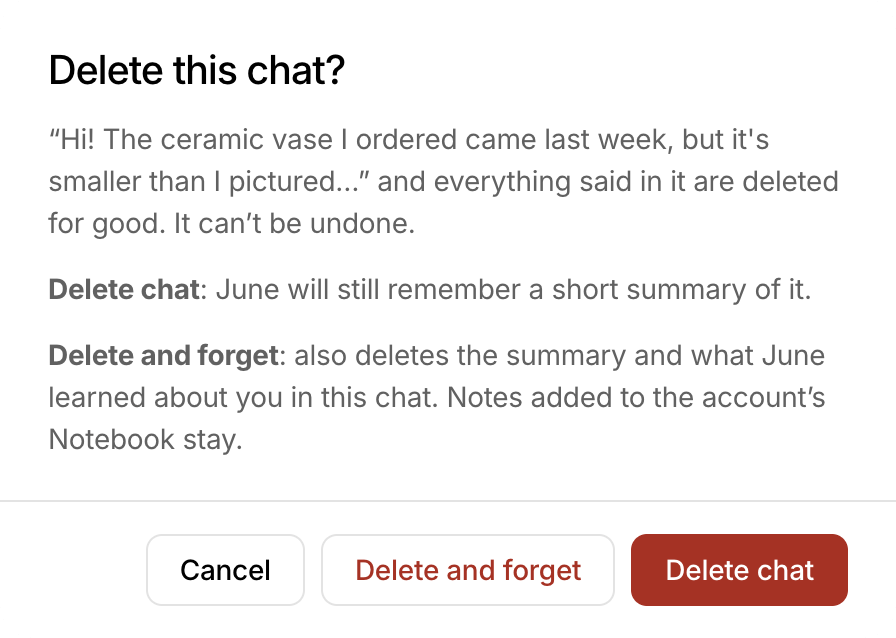
Roles decide who can change what, and every change is in the audit log. Anyone can delete their chat, and what the agent learned in it.
One of three ways to use RealMemory.
Hosted agents are for teams that want the whole agent: you decide who it is and what it knows, we run it, and every kind of memory comes with it.
Already run an agent of your own? Memory Engine adds our memory to it. Want your company’s data ready for any agent? That’s Knowledge Engine.
What you get
Everything is in the portal.
Give AI real experience.
 Investing in AI agents? Let’s talk →