Picks up where
you left off.
You meet a friend after a month. You don’t remember every word, but you remember what you talked about, what was worrying them and what you promised. Slow memory gives your AI agent that memory of every person it talks to: a summary of each conversation, there when something from it comes up again.
A summary of every chat · Only the agent that had it · Private when it should be
Same customer. Same agent. One remembers the last conversation.
An example. Same agent, same personality. Only Slow memory changed.
Knows it by heart. Remembers you.
Core memory is what your agent always knows: your company, its job and your rules. Slow memory is what it remembers about each person it talks to: what you talked about last time, what worried you and what’s still open. Your team writes the first. The agent writes the second, after every message.
Not every word. What mattered.
After every message, the agent updates that chat’s summary. Not a transcript and not a list of facts: the story of the conversation, the way a person remembers it.
What it was about
What the person wanted and what you talked about. “Asked if the holiday sale covers lamps.”
What worried them
Problems and worries, the way they told it. “Worried the gift won’t arrive before her mom’s birthday.”
Where it was left
What was decided and what’s still open. “New shade promised, update by Friday.”
Every person. Every summary.
Open an agent’s Slow memory to see everyone it has talked to and a summary of each chat. Your team can read any summary and delete one that shouldn’t be kept. The agent stops using it right away.
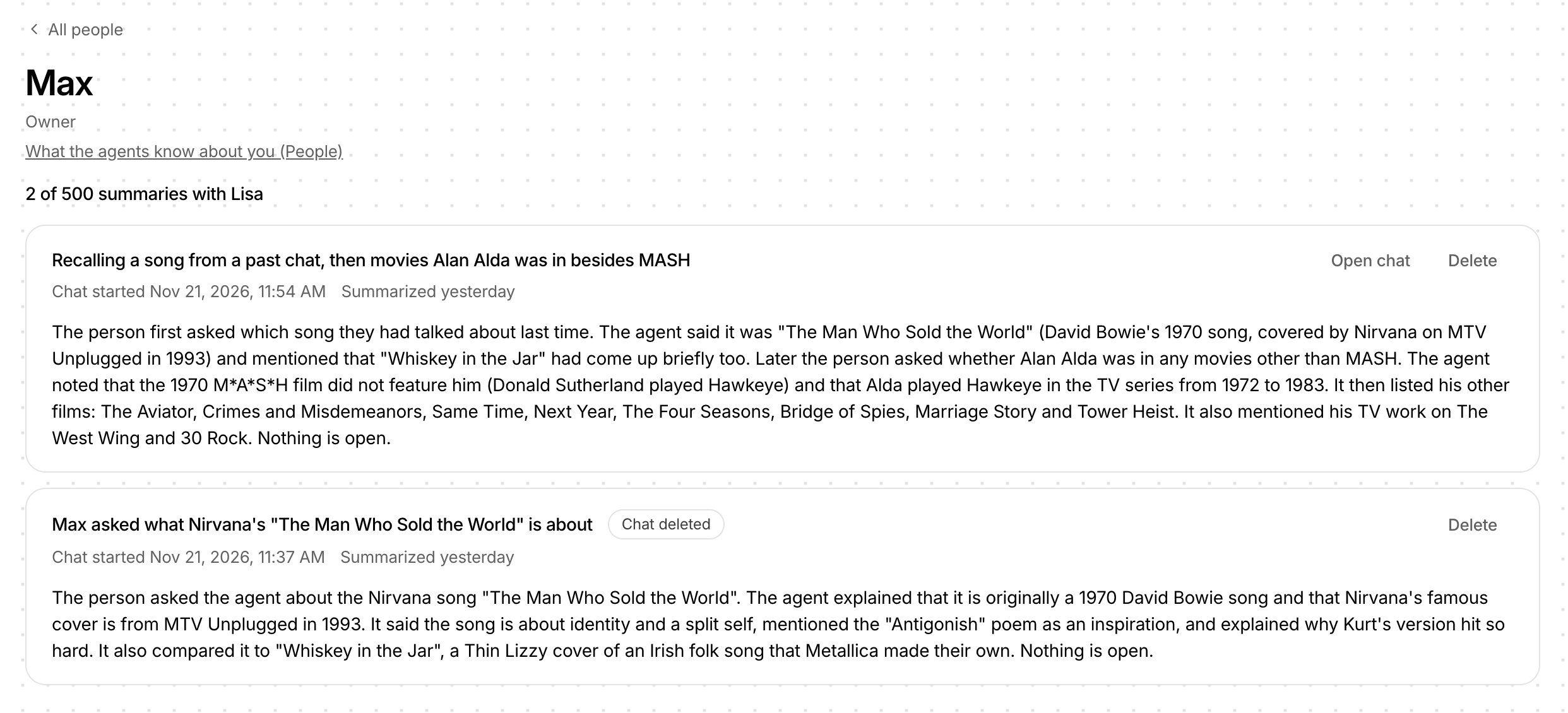
The agent writes. Your team reads.
The agent keeps one summary for each chat and brings it back only when it matters. Your team can see all of it and decides what stays.
Updated after every message
The agent writes the chat’s summary as the conversation goes. Your team can’t add or edit summaries, so each one is the agent’s own memory of the chat.
Only the agent that had the chat
Other agents never read it, not even when a chat is handed over. Talk to Lisa about something personal and to Mike about work.
Only when it comes up
A summary comes back in later chats with the same person, when something from that chat comes up. Never in a chat with anyone else.
Delete a summary
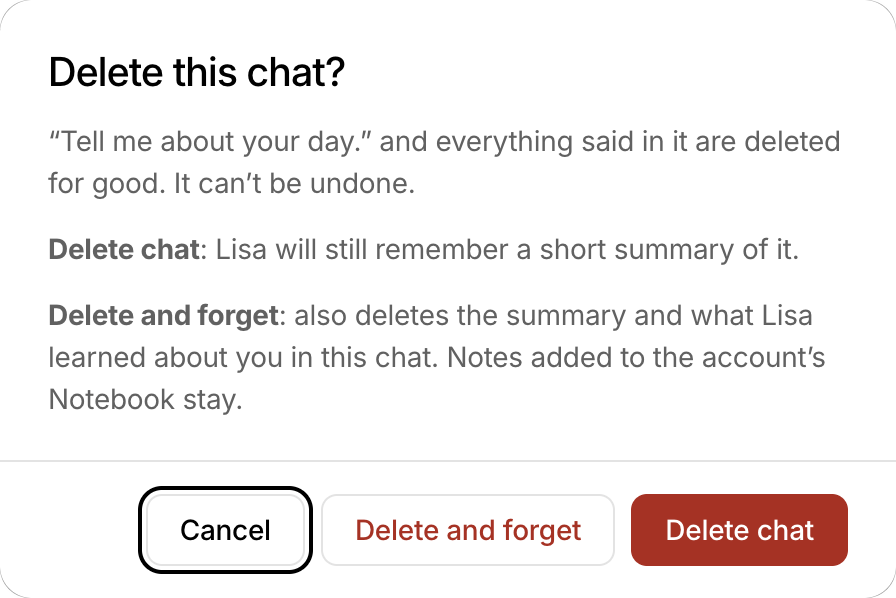
The agent stops using it right away. The Owner, Admins, Editors and Operators can delete any summary, and everyone can delete their own.
Your choice when a chat goes
Delete chat keeps its summary. Delete and forget removes the summary too, with what the agent learned about the person in that chat.
500 summaries a person
When there are more, the oldest go first. Memory is never used to train anyone’s AI model.
We deleted the chat. She still remembered.
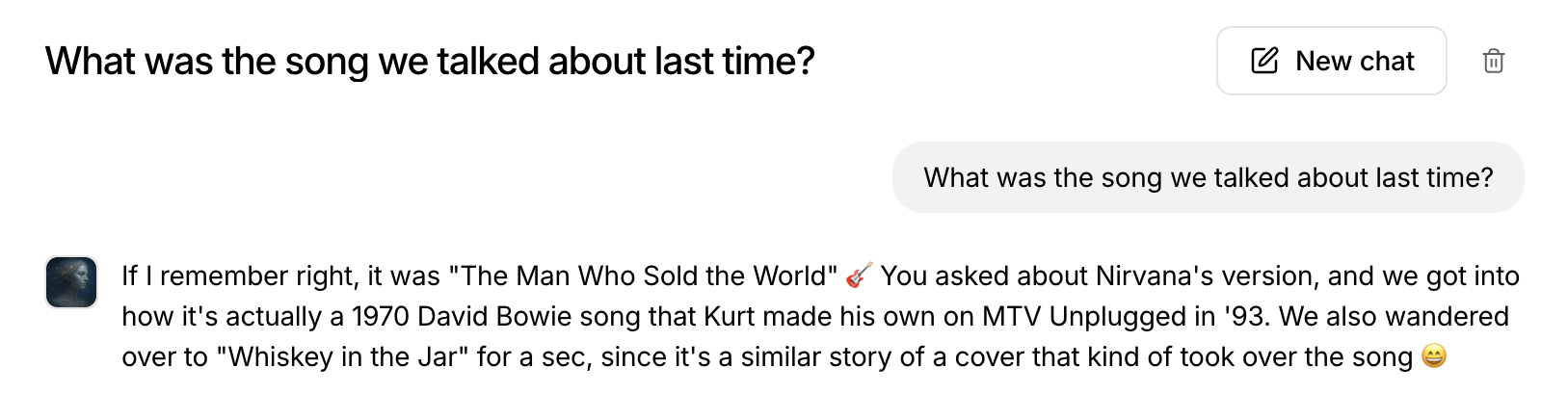
We asked Lisa, one of our dev agents, about a Nirvana song. Then we deleted that chat, started a new one and asked: “What was the song we talked about last time?”
Deleting a chat keeps its summary, so Lisa remembered the song and even a side topic from that chat. With Delete and forget, she wouldn’t have.
Visible to your team. Private when it should be.
Slow memory is the story of real conversations, so who reads it matters. Every chat says it right under the message box: the agent keeps a summary, the team can read it, and here’s how to keep it private.
Your team can read it
Everyone in the account can read the summaries. The agent knows it, so it never promises that a conversation stays between the two of them.
Private for each employee
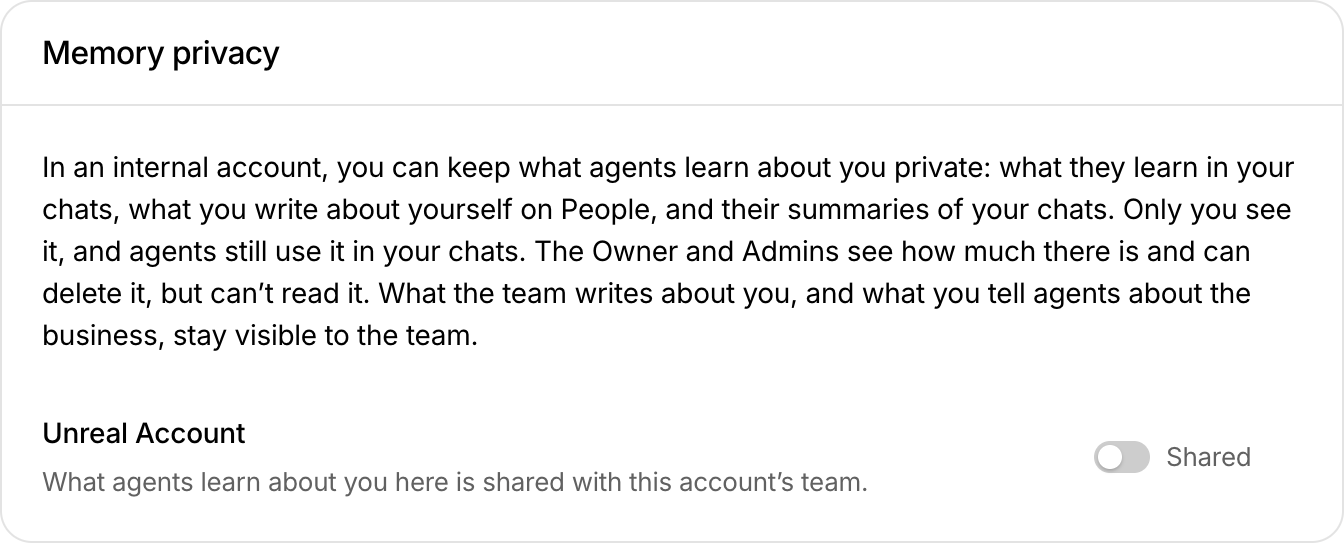
In an internal account, each person can keep what agents learn about them private, summaries of their chats included. Only they see it, and agents still use it in their chats.
Owners can delete, not read
The Owner and Admins see how much private memory there is and can delete it, but they can’t read it.
Part of every agent we host.
RealDNA is who the agent is. Core memory is what it always knows. Slow memory is what it remembers about each person it talks to.
What agents learn about a person is shared across your account, so a new agent isn’t a stranger to them. The story of each chat stays with the agent that had it. Slow memory comes with every agent RealMemory hosts for you.
What you get
Everything is in the portal.
Give AI real experience.
 Investing in AI agents? Let’s talk →